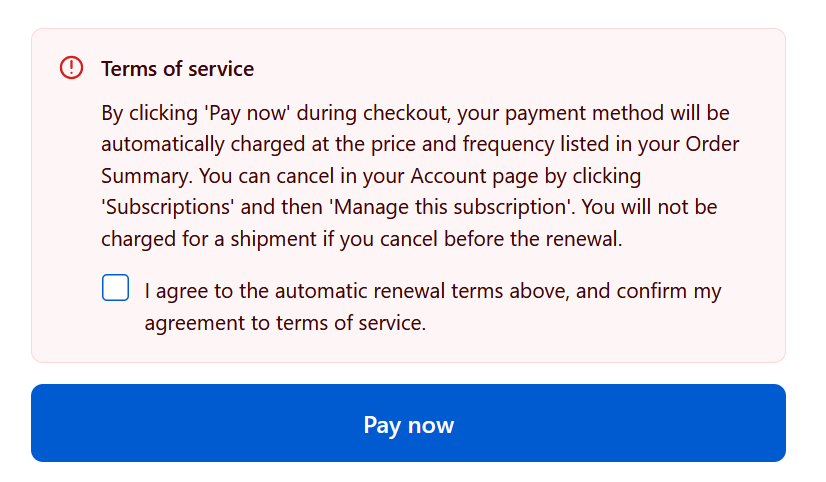
How do I add a terms and conditions checkbox on the checkout page?
To add the terms and conditions checkbox to the checkout page, so that customers will have to agree with your terms before proceeding with the purchase of a subscription item, simply go into Shopify admin > Online store > click “Edit theme” and then at the top dropdown, select “Checkout & Customer Accounts” and follow our guide below.
This is a great way to remain compliant with any local regulations, such as California's Automatic Renewal Law (ARL) or simply to make sure the customers fully agree with the purchase of the subscription items.
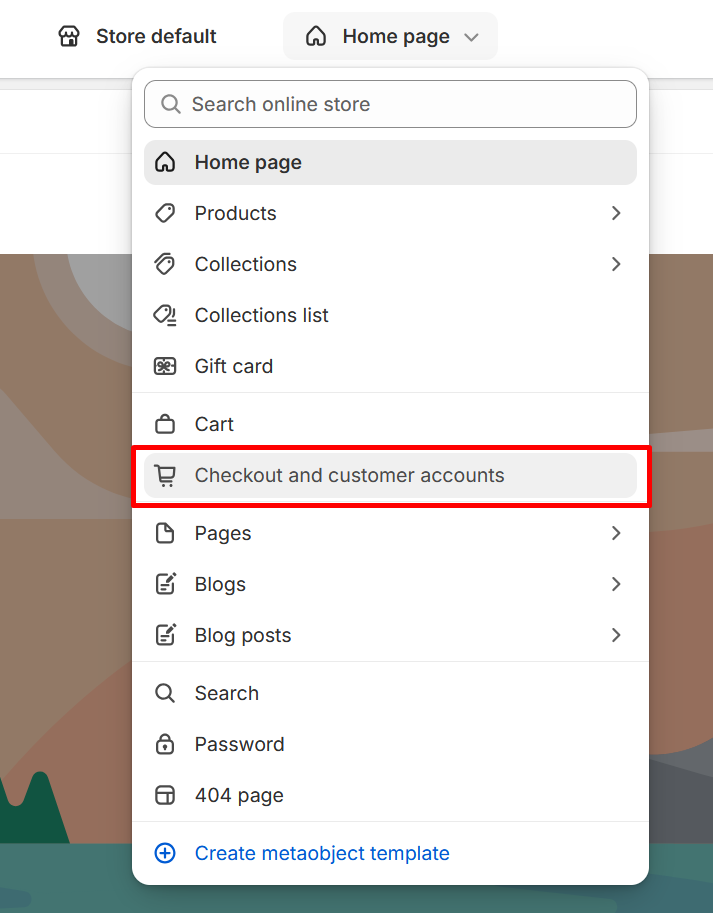
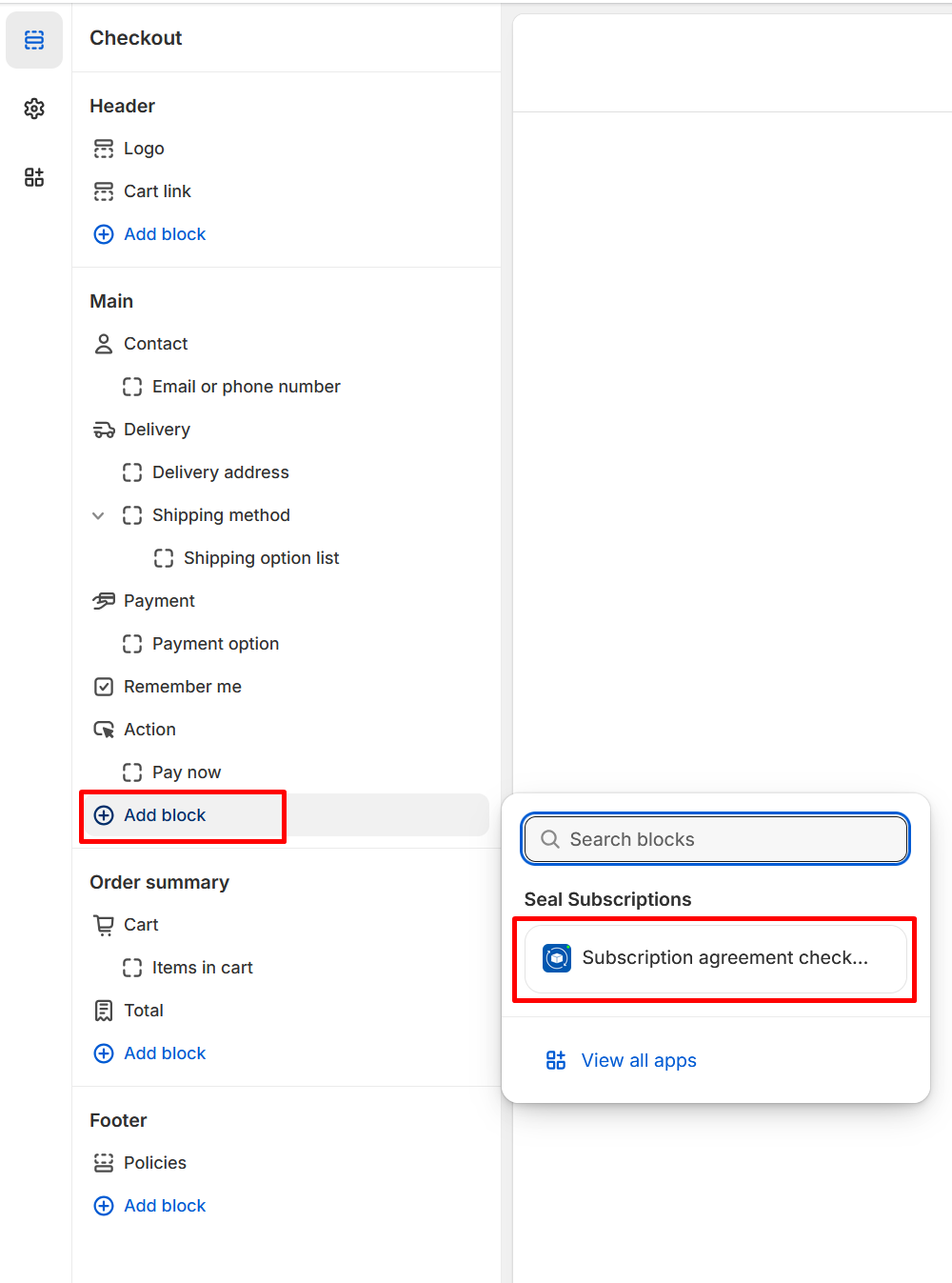
In there click the “Add block” button and select the “Subscription agreement checkbox” as seen below. Please note that Shopify only allows Shopify Plus stores to use checkout extensions, so if you don't see our extension block in there, then this means that you aren't on the Shopify Plus plan.
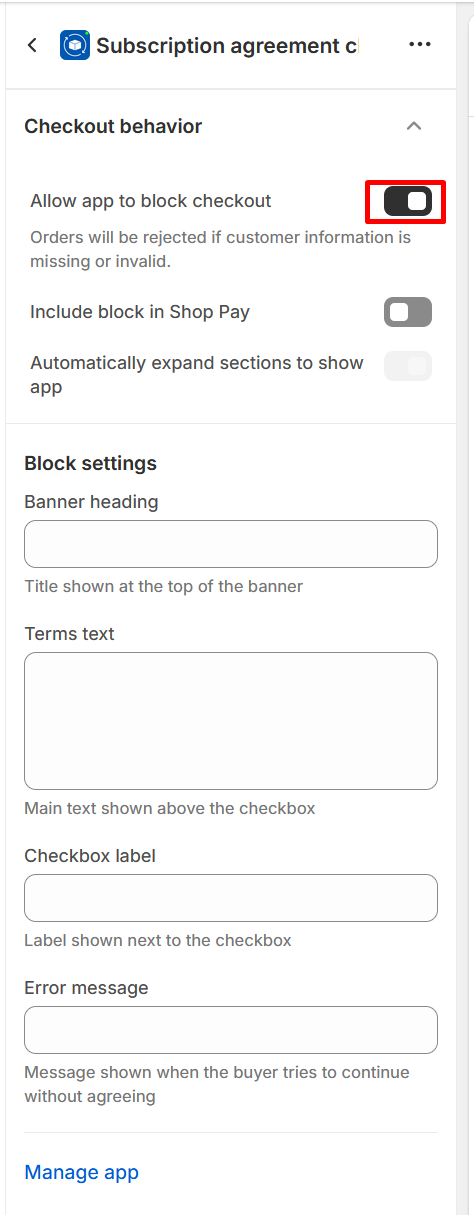
In the extension itself, turn on the option to “Allow app to block checkout” as seen below. This way, the customer won't be able to go to the checkout if they don't agree with the terms of purchase.
After that, just save the theme and you are done :)
This new extension will show up only if the customer has a subscription product in the cart. If the customer doesn't have a subscription product in the cart, then the extension won't show up at all.
And this is how this extension will look like in the checkout.