

How do I connect ChatGPT/Codex to Seal Subscriptions using MCP?
Seal Subscriptions’ MCP integration lets an AI agent look up your store’s subscriptions and subscription rules using plain language.
1. Create a dedicated API key
Open Seal Subscriptions → Settings → General settings → API and make sure API access is enabled. Create a key for your AI agent and enable only Read permissions under Subscriptions and Subscription rules. Leave other permissions unchecked and press save (For detailed instructions, see How do I set read-only permissions for my API key?).
2. Connect your AI agent
Make sure the ChatGPT desktop app is installed. If it isn’t, download it here.
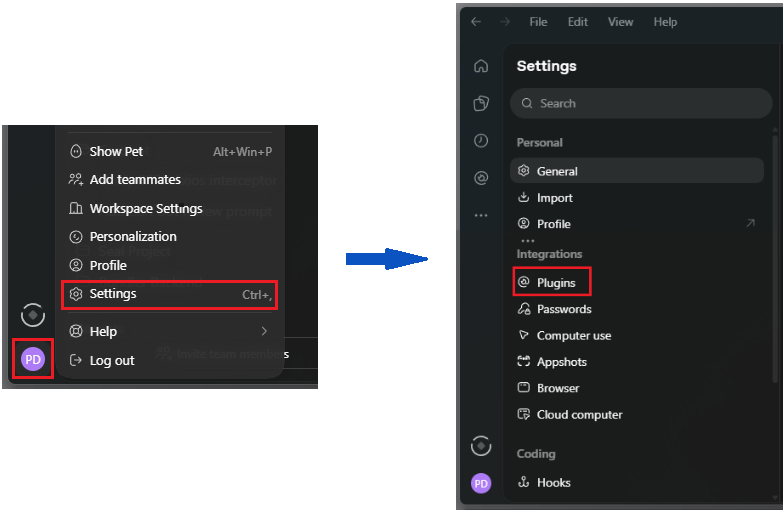
Once you’ve installed the app and signed in with your ChatGPT account, click your profile icon and go to Settings → Plugins.
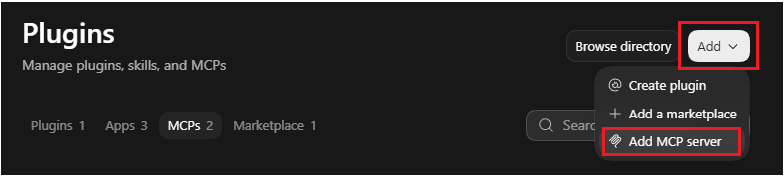
Click Add → Add MCP server to add Seal Subscriptions:
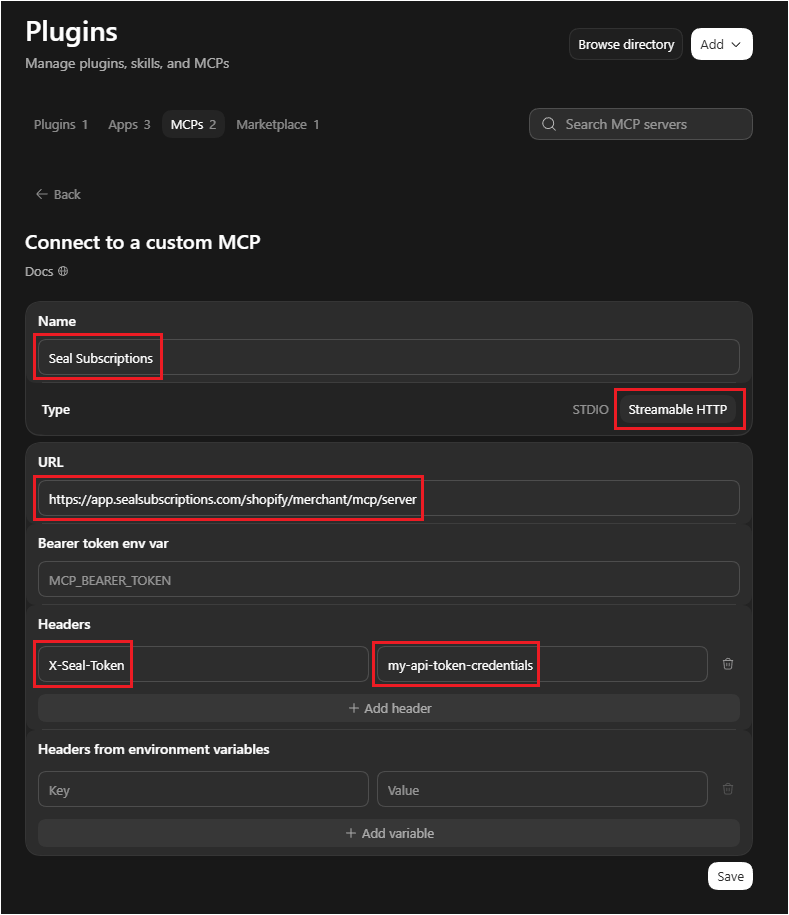
Fill in the connection details:
- Name: Seal Subscriptions
- Type: Streamable HTTP
- URL: https://app.sealsubscriptions.com/shopify/merchant/mcp/server
- Headers: Enter X-Seal-Token as the header name and your dedicated API key as its value
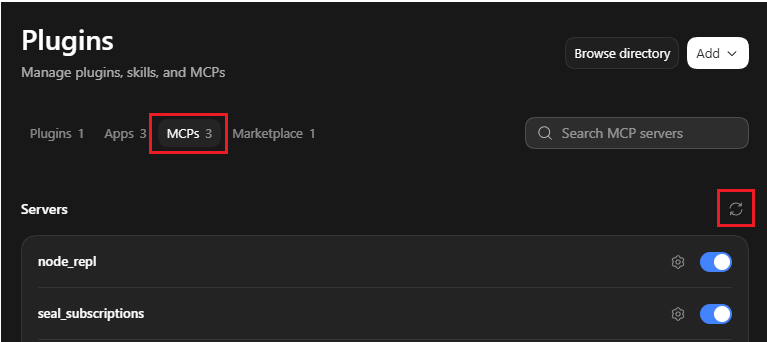
Click Save, open the MCPs tab, and click the refresh button to reload the connection. If this doesn’t work, fully quit the desktop app from the system tray and reopen it.
3. Ask a question
Once connected, ask your AI agent to use Seal Subscriptions to answer a question. For example:
“List my subscription rules using Seal subscriptions integration”